Drop a folder here.
Grab it from anywhere.
Between your laptop and your desktop. Between you and a friend. Currently in private beta. Drop your email and we'll send you in.
Between your laptop and your desktop. Between you and a friend. Currently in private beta. Drop your email and we'll send you in.
One command to install. One more to start a shared folder. Send the key. Your friend's in.
Files go straight from your machine to theirs. Hit save and they have it, instantly. The connection's encrypted, so nothing leaks on the way.
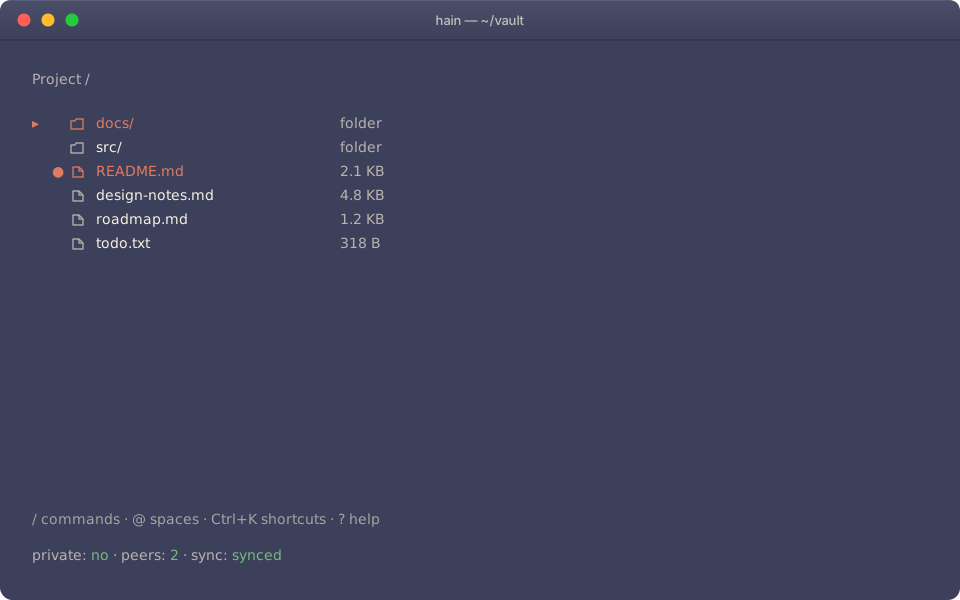
Type hain in any terminal. You get a file browser, command palette, and live sync status. Want to script something? Drop to the CLI. It works anywhere a shell does, including over SSH.
Run it in any terminal. First time, point it at a folder. You're in.
hain Hit / to open the command palette. Name your space whatever you're working on.
/new-space "Project" Press Ctrl+Shift+S to copy the share key. Send it to whoever's joining. That's their whole onboarding.
Ctrl+Shift+S They run hain, paste the key, and they've got the folder.
hain Prefer the command line? Every action has a CLI equivalent.
Hain syncs them straight to the people you share with. And to no one else.
Request beta access